Appearance
The Alerts page
Open Alerts / Notifications in the sidebar. The page has two tabs: Alerts, covered here, and Notifications.
Who can see it: everyone, for the devices they have access to.
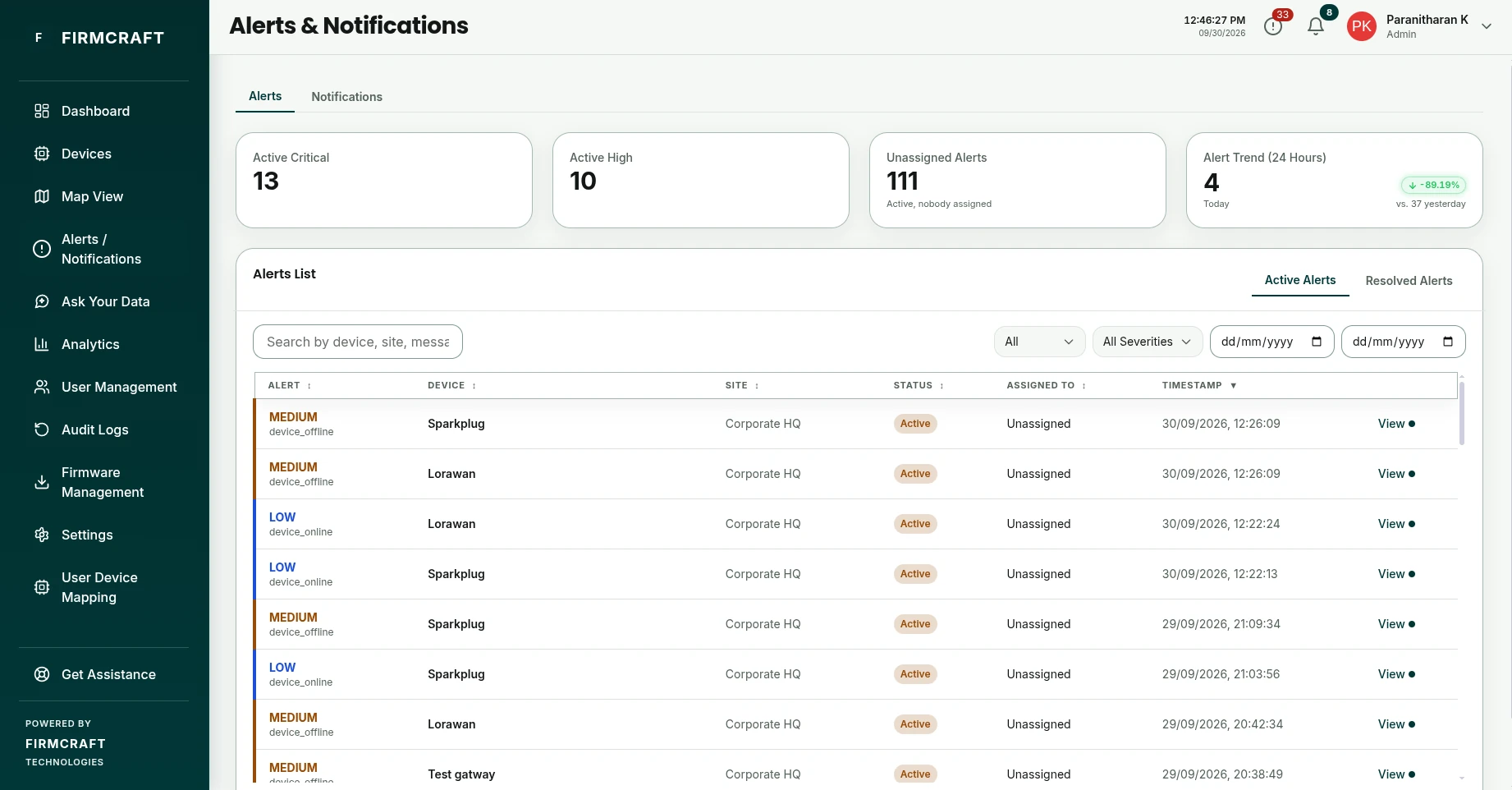
At the top
- Active Critical, Active High and Unassigned Alerts: what needs attention now.
- Alert Trend (24 Hours): alerts raised today, compared with yesterday.
The alerts list
Alerts List shows alerts newest first, with their severity, type, device, site, status and who they're assigned to. Switch between Active Alerts and Resolved Alerts at the top of the list. Click View on a row to open an alert.
Narrow the list with:
| Filter | Options |
|---|---|
| Search | Device, site or message text |
| Status | All, Active, Assigned, Resolved |
| Severity | All Severities, Critical, High, Medium, Low |
| Dates | A from and to date |
Alert statuses
| Status | Meaning |
|---|---|
| Active | The problem is happening and nobody has taken it yet. |
| Assigned | Someone has been asked to deal with it. |
| Resolved | The value is back to normal, or someone closed the alert by hand. |
Open an alert
Click an alert to see its details:
- Alert Message, Device, Alert Type and Timestamp
- Current Value and the Threshold it crossed
- the device's location
- Assignment History: who assigned it to whom, and when
- Resolution Details, once it's resolved
From here you can assign or resolve it.