Appearance
The device page
Every device has its own page with its live readings, charts, alerts and location. Open Devices in the sidebar and click a device's row, or its Details link.
Who can see it: everyone with access to the device. Viewers can look but not change anything.
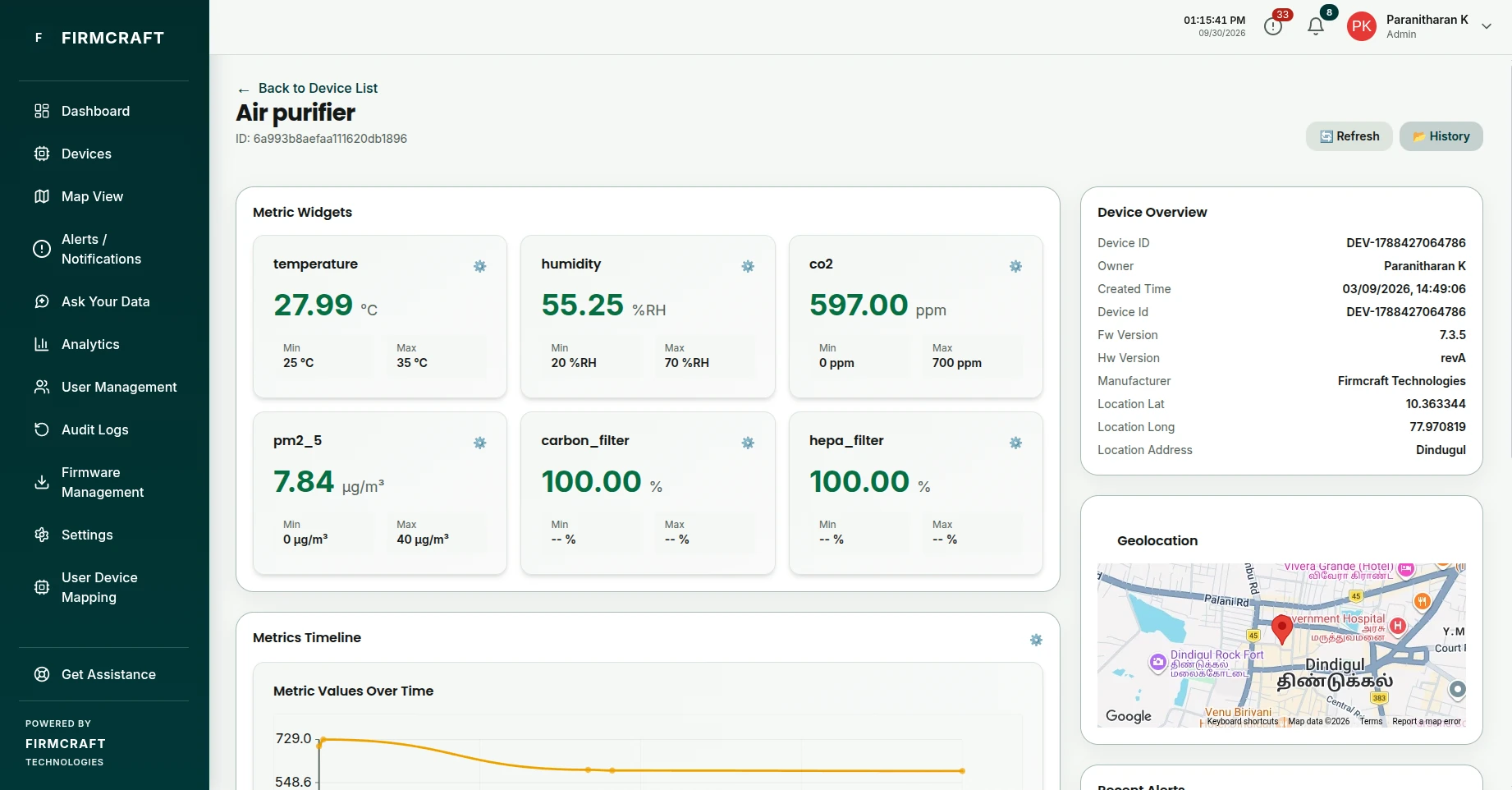
What's on the page
| Section | What it shows |
|---|---|
| Header | The device name and ID, with Refresh and History buttons. |
| Metric Widgets | One tile per metric with its latest value, and the Min and Max thresholds you set for it. |
| Metrics Timeline | A chart of recent readings for every metric. |
| Device Overview | The device's details: ID, owner, creation time, firmware and hardware versions, manufacturer and location. |
| Recent Alerts | The latest alerts raised for this device. |
| Geolocation | The device on a map, if it has a latitude and longitude. |
| Device IO Controls | Buttons and switches that send commands to the device, if it has any configured. |
| Firmware Management | The device's firmware version and over-the-air updates. |
Online and Offline
A device is Online while its readings keep arriving on time. The Firmcraft IoT Dashboard learns how often each device normally reports. The device turns Offline when a reading is clearly overdue, not at a fixed timeout, so a device that reports every 10 minutes isn't marked offline between readings.
Look back at past readings
- Click History in the page header.
- Choose a Start Date & Time and an End Date & Time.
- The page replays the readings from that period in its widgets. Use Play and Pause to control the replay.
- Click Live to return to live readings.
Edit or delete a device
Admin User (own devices)On the Devices page, click Edit on the device's row. You can change the name, location, metrics, thresholds and connection settings.
Admins can delete devices: tick them on the Devices page and use the action bar that appears.
Common problems
The widgets show no values. No reading has arrived yet, or the metrics in the device's settings don't match the field names in its messages. See Common problems.