Appearance
Ask Your Data
Ask Your Data is an operations briefing written from your live data, with an AI copilot you can ask questions in plain English.
Open Ask Your Data in the sidebar.
Who can see it: everyone, on the Growth plan and above. Growth plan and above
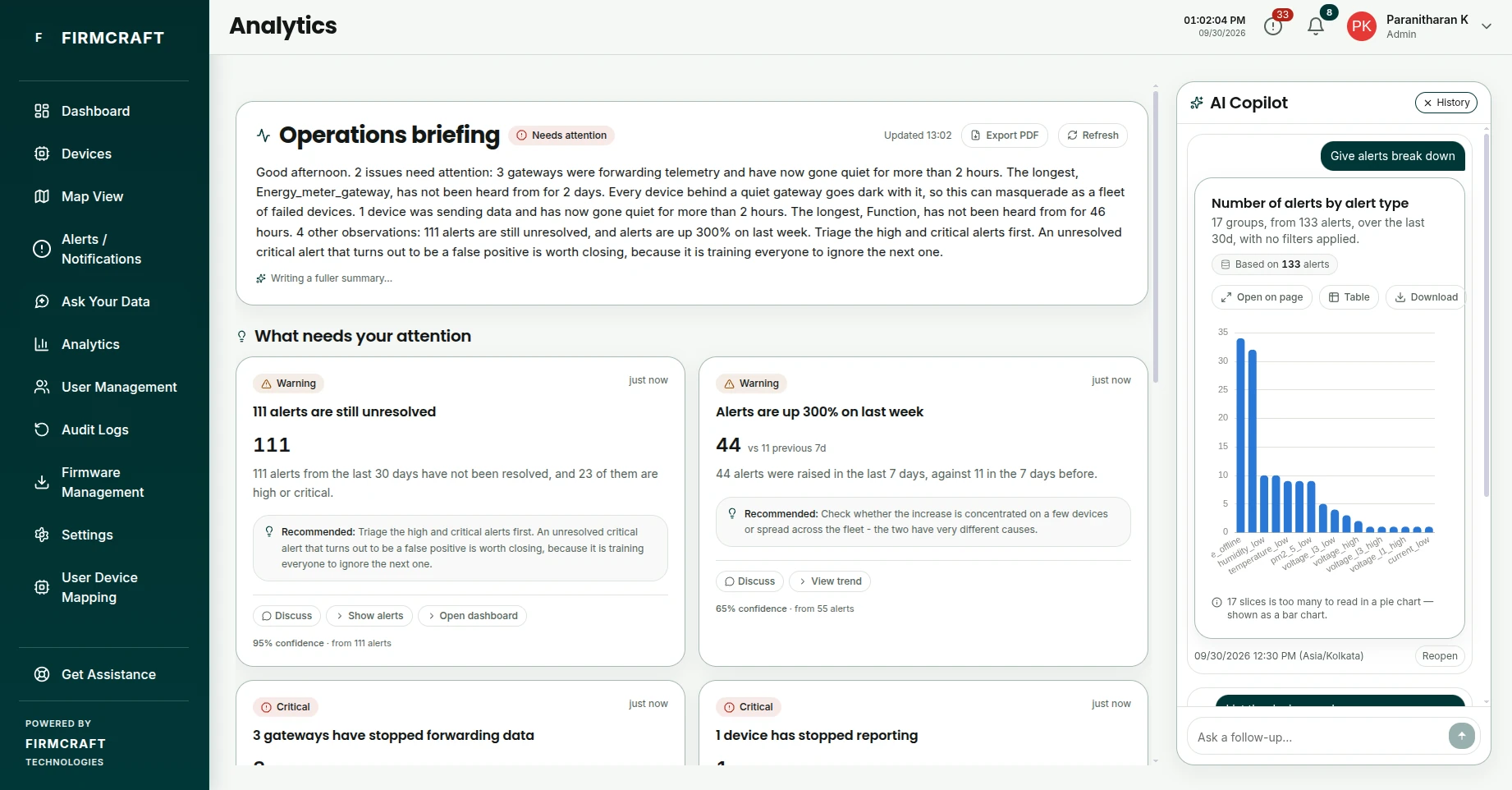
The briefing
The page opens with the work already done, before you type anything:
- Operations briefing: a short written summary of the state of your equipment. Use Export PDF to save it, and Refresh to rewrite it with the latest data.
- What needs your attention: findings such as unresolved alerts or gateways that have gone quiet, each with its figures and what's Recommended. Click Discuss on a finding to ask the copilot about it, or follow its links to the alerts or dashboard behind it.
- Suggested questions to dig further.
The findings refresh every minute. The written summary is created by AI from those findings; while it's being written you see a plainer version, marked Writing a fuller summary….
Ask the copilot
The AI Copilot panel sits on the right. Type a question in Ask a follow-up…, or click a suggested question.
Questions that work well:
- List all offline devices
- How many alerts are still unresolved?
- Compare this week's alerts with last week
- Show average temperature by device over the last 7 days
- Show average power by hour of day
- How many devices are under each gateway?
Each answer comes with a chart or table and its Evidence, the numbers it was built from. You can download a table as Excel (.xlsx).
Click History in the copilot to reopen your earlier questions.
Good to know
- The copilot answers from your company's data only, and only for devices you have access to.
- Findings and numbers are calculated directly from your readings. Only the wording is written by AI, so check anything important against the evidence.